
How to Use Binance Smart Chain (BSC) on an Exchange: A Beginner's Step-by-Step Guide
Binance Smart Chain (BSC), now officially known as BNB Smart Chain, has become one of the most popular blockchain networks for trading, decentralized finance (DeFi), and minting Non-Fungible Tokens (NFTs). Its low transaction fees and fast block times make it a strong competitor to Ethereum. However, if you are new to this ecosystem, understanding how to use BSC on a centralized exchange can seem confusing. This guide will walk you through the essential steps, from depositing funds to withdrawing them on the correct network.
What You Need Before Starting
To interact with BSC on an exchange, you first need a compatible wallet. While exchanges like Binance, KuCoin, and Gate.io have built-in BSC wallets for their platforms, you will likely need an external wallet like MetaMask or Trust Wallet for DeFi activities. Ensure your wallet is configured to the BSC Mainnet. This involves adding the BSC network manually with the correct RPC URL (typically https://bsc-dataseed.binance.org/), Chain ID (56), and symbol (BNB).
Step 1: Deposit Funds into the BSC Network
Most centralized exchanges support BSC deposits. Go to your exchange’s "Deposit" section and select BNB or any BEP-20 token. The exchange will display a deposit address. It is critical to copy this address exactly and confirm that the network is set to "BSC" or "BEP-20." If you send funds from another wallet or exchange, make sure you also select the BSC network on the sending side. Sending tokens on the wrong network (e.g., sending BEP-20 to an ERC-20 address) can result in permanent loss of funds.
Step 2: How to Trade on BSC
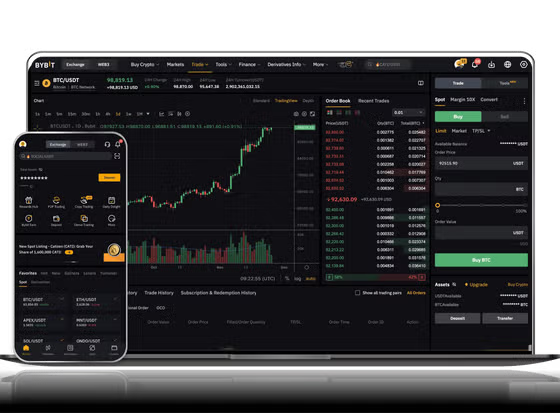
Once your BNB or BEP-20 tokens are in your exchange wallet, you can trade them. On Binance, for example, you can use the "Spot" trading feature. Select a trading pair like BNB/USDT. If you want to swap tokens without using the order book, many exchanges offer a "Convert" feature. This tool instantly swaps one token for another at the current market rate. Remember that trading on BSC (BEP-20) usually has lower fees compared to Ethereum-based trades, often costing just a few cents.
Step 3: Withdrawing to a BSC Wallet
To move your funds from the exchange to your personal wallet, go to the "Withdraw" section. Enter your wallet address. Again, the most crucial step is selecting the "BSC" or "BEP-20" network. After entering the amount, the exchange will show you the transaction fee (usually very low, around 0.001 BNB). Double-check the address and network before confirming. The transaction typically completes within a few minutes due to BSC's fast block time (around 3 seconds).
Step 4: Using BSC for DeFi and DApps
After you have BNB in your external wallet, you can explore decentralized applications (DApps) on BSC. Popular DApps include PancakeSwap (for token swaps and farming), Venus (for lending and borrowing), and BakerySwap. When connecting to these sites, always use the "WalletConnect" button or MetaMask connection. BNB is required for gas fees on these DApps, so never withdraw your entire BNB balance to an external wallet—keep a small amount (e.g., 0.01 BNB) to pay for future transactions.
Common Mistakes to Avoid
1. Network Confusion: BSC uses the BEP-20 standard. Do not confuse this with BEP-2 (Binance Chain) or ERC-20 (Ethereum). These are incompatible.
2. Insufficient Gas: If you try to swap tokens on PancakeSwap but have no BNB, the transaction will fail. Always maintain a small BNB reserve.
3. Scam Tokens: BSC has many legitimate projects, but it also has many meme coins and scams. Verify the contract address on BscScan before buying an unknown token.
Conclusion
Using Binance Smart Chain on an exchange is a straightforward process once you understand the network’s specific requirements. The key takeaways are: always confirm you are using the BEP-20 network for deposits and withdrawals, keep a small amount of BNB for transaction fees, and double-check all addresses. By following these steps, you can take full advantage of BSC’s speed and low cost for trading and DeFi activities.


发表评论