
Master Binance Cloud Exchange: Step-by-Step Trading Guide & Key Features for Beginners

Binance Cloud Exchange is a white-label solution that allows businesses to launch their own digital asset trading platforms powered by Binance's liquidity, matching engine, and security infrastructure. For individual traders, understanding how to operate on a Binance Cloud-based exchange is essential for efficient trading. This guide covers the core operations, from account setup to advanced order types, tailored for both new and experienced users.
1. Account Registration and Security Setup
To begin, visit the official website of the Binance Cloud exchange you intend to use. Click "Register" and provide your email address or phone number. After setting a strong password, you must complete email or SMS verification. For higher withdrawal limits and enhanced security, enable two-factor authentication (2FA) via Google Authenticator or a hardware key. It is strongly recommended to also set up anti-phishing codes and whitelist withdrawal addresses.
2. Depositing Funds
Once your account is secured, navigate to "Wallet" > "Deposit." Select the cryptocurrency you wish to deposit (e.g., USDT, BTC, ETH). The system will generate a unique deposit address. Copy it carefully and use it in your external wallet or another exchange to send funds. For fiat deposits, Binance Cloud platforms often support bank transfers, credit cards, or third-party payment services, depending on regional regulations. Always double-check the network type (e.g., ERC-20, BEP-20) to avoid losing funds.
3. Spot Trading Interface
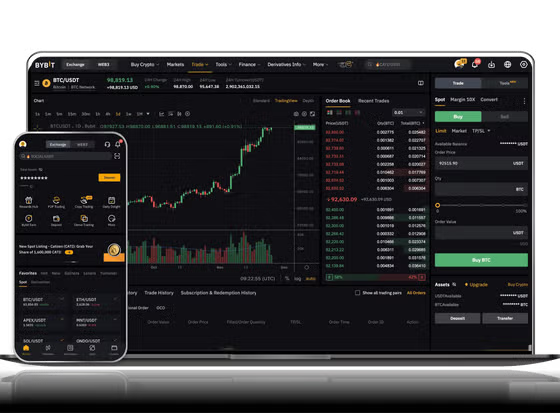
The main trading page on a Binance Cloud exchange resembles Binance.com. You will see three key sections: the order book (shows buy and sell orders), the price chart (often powered by TradingView), and the order entry panel. To place a market order, select "Market," enter the amount you want to buy or sell, and confirm. For limit orders, choose "Limit," set your desired price, and submit. Always review the "Total" before clicking "Buy" or "Sell."
4. Advanced Order Types and Tools
Beyond basic limit and market orders, Binance Cloud exchanges support stop-limit orders, OCO (One-Cancels-the-Other) orders, and trailing stop orders. These tools help you manage risk and automate entry or exit strategies. For example, a stop-limit order can automatically sell your asset if the price drops to a certain level, protecting your profits. The interface also provides indicators like RSI, MACD, and moving averages for technical analysis.
5. Withdrawal Process
To withdraw funds, go to "Wallet" > "Withdraw." Select the cryptocurrency, enter the recipient address, and specify the amount. If you have enabled 2FA, you will need to input a code generated by your authenticator app. For large withdrawals, some platforms require email confirmation or a 24-hour security delay. Always test with a small amount first when withdrawing to a new address.
6. Important Security Practices
Since Binance Cloud exchanges are operated by third parties, always verify the exchange's official domain and avoid phishing links. Never share your API keys or private keys. Use a dedicated trading account and avoid storing large amounts in hot wallets. Additionally, monitor the exchange's liquidity and withdrawal fees, as they may differ from Binance.com.
By following these steps, you can confidently navigate any Binance Cloud-based exchange. The platform's deep liquidity and robust matching engine provide a professional trading environment comparable to Binance itself. Start with small trades to familiarize yourself with the interface, and gradually explore more advanced features as you gain experience.


发表评论