
How to Operate on Binance Exchange: A Beginner’s Step-by-Step Crypto Trading Guide

Binance is one of the most popular cryptocurrency exchanges globally, offering a vast range of digital assets and trading pairs. However, for new users, the platform can seem overwhelming at first. Understanding how to operate on Binance is essential for secure and efficient trading. This guide breaks down the core steps to get you started on the Binance exchange, ensuring you can navigate the interface and execute trades with confidence.
1. Registration and Account Security
Your first step is to create a Binance account. Visit the official Binance website and click "Register." You will need to provide an email address or phone number and create a strong password. After registration, Binance will prompt you to complete identity verification (KYC). This is a mandatory step for most trading features and higher withdrawal limits. Once verified, enhance your account security by enabling two-factor authentication (2FA) via Google Authenticator or SMS. This prevents unauthorized access even if your password is compromised.
2. Depositing Funds (Fiat or Crypto)
Binance offers two main ways to fund your account: depositing fiat currency (USD, EUR, etc.) or transferring cryptocurrency from another wallet. To deposit fiat, go to "Wallet" > "Fiat and Spot," then select "Deposit" and choose your local currency. You can use bank transfer, credit/debit card, or third-party payment services. For crypto deposits, select the specific coin (e.g., Bitcoin or USDT) and copy the deposit address. Carefully ensure you select the correct network (e.g., BEP-20 or ERC-20) to avoid losing funds. Always start with a small test transaction.
3. Navigating the Spot Trading Interface
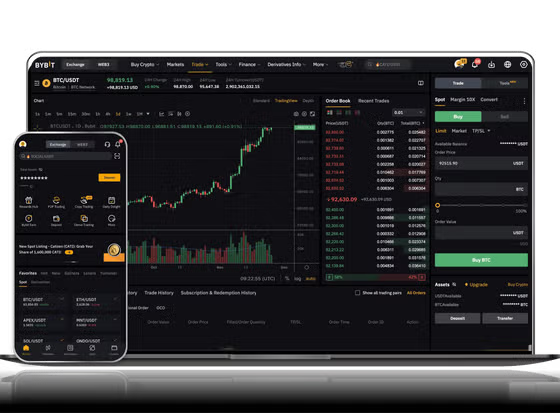
The most common operation on Binance is spot trading. Click "Trade" > "Classic" or "Advanced" to open the interface. You will see a trading chart on the left, an order book in the middle, and a trading pair selector at the top. The "available balance" is shown on the bottom right. To buy crypto, select a trading pair (e.g., BTC/USDT). You can place two main types of orders: a market order (buy instantly at the current price) or a limit order (buy only when the price reaches your specified amount). Enter the amount of USDT you want to spend, review the fee (typically 0.1% per trade), and click "Buy BTC."
4. Using Advanced Tools: Stop-Loss and Take-Profit
To manage risk, Binance allows you to set stop-loss and take-profit orders. This is crucial for automated trading. Instead of manual selling, you can set a stop-limit order: for example, if Bitcoin's price drops to $25,000, your position is automatically sold to limit losses. Similarly, set a take-profit order to lock in gains at a target price. These tools can be found under the "Stop-Limit" or "OCO" (One-Cancels-the-Other) options in the order panel. OCO allows you to set both a stop-loss and a take-profit simultaneously, ensuring you don't miss market movements.
5. Withdrawing Crypto to External Wallets
When you are ready to move your assets off the exchange for long-term storage or use in decentralized apps, go to "Wallet" > "Fiat and Spot" > "Withdraw." Select the cryptocurrency, enter the external wallet address, and choose the correct network. Binance will display a network fee and a minimum withdrawal amount. Remember: withdrawing to a wrong network can permanently lose your funds. Always double-check the address and network before confirming. A successful withdrawal usually takes a few minutes to a few hours, depending on blockchain congestion.
Operating on Binance involves a logical sequence: secure your account, deposit funds, master the spot interface, use automation tools, and securely withdraw. While the exchange offers countless advanced features like futures and margin trading, beginners should focus on spot trading first. Practice with small amounts, stay informed about market trends, and never invest more than you can afford to lose. By following these step-by-step operations, you will build the foundational skills needed to trade effectively on the world’s largest crypto exchange.


发表评论