
How to Operate Binance Exchange: A Complete Guide for Beginners and Advanced Traders
Binance is one of the largest and most popular cryptocurrency exchanges in the world. Whether you are a beginner looking to buy your first Bitcoin or an experienced trader seeking advanced tools, understanding how to operate the Binance exchange is essential. This guide will walk you through the key steps, from account setup to advanced trading features.
First, you need to create a Binance account. Visit the official Binance website or download the mobile app. Click on "Register" and enter your email address or phone number. You will be asked to create a strong password. After registration, Binance will send a verification code to your email or phone. Complete the verification process. For full access to higher withdrawal limits and all features, you must complete identity verification (KYC). This involves uploading a government-issued ID and a selfie.
Once your account is set up, the next step is to secure it. Enable two-factor authentication (2FA) using Google Authenticator or a similar app. This adds an extra layer of security. You should also set up anti-phishing codes and whitelist withdrawal addresses. These measures protect your funds from unauthorized access.
Depositing funds is straightforward. Log into your Binance account and navigate to "Wallet" or "Deposit." Choose the cryptocurrency you want to deposit or select fiat currency like USD or EUR. Binance supports bank transfers, credit cards, and peer-to-peer (P2P) trading for fiat deposits. For crypto deposits, you will receive a deposit address. Copy this address and send funds from your external wallet or another exchange. Wait for network confirmations.
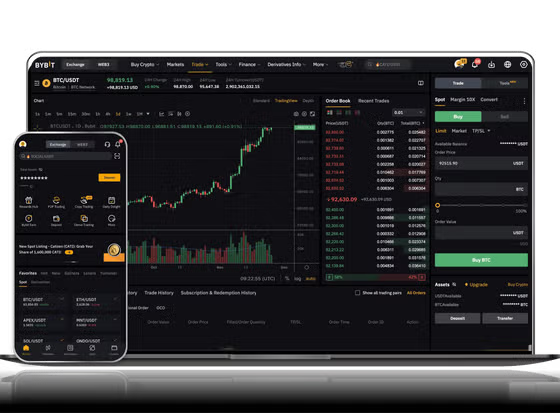
Now you are ready to trade. The Binance exchange interface has two main trading modes: "Basic" and "Advanced." Beginners can use the Basic view. Select a trading pair, such as BTC/USDT. You will see a price chart, order book, and trade history. To place a market order, enter the amount of the asset you want to buy or sell and click "Buy" or "Sell." The order executes immediately at the current market price. For more control, use a limit order. Set your desired price and amount. The order will only execute if the market reaches your specified price.
Advanced traders can access features like stop-limit orders, margin trading, and futures contracts. In the Advanced interface, you can adjust leverage, set take-profit and stop-loss levels, and use technical analysis tools. Binance also offers algorithmic trading through Binance Futures and options for API integration. Professional traders often use these tools to manage risk and automate strategies.
Withdrawing funds is the final step. Go to "Wallet" and then "Withdraw." Choose the cryptocurrency or fiat currency. Enter the withdrawal address and amount. For security, you may need to confirm the withdrawal via email and 2FA. Always double-check the address to avoid losing funds. Withdrawal fees vary by asset and network.
Binance also provides additional features like staking, earning interest through savings accounts, and participating in launchpad projects for new tokens. You can explore these through the "Earn" tab. For mobile users, the Binance app offers full functionality, including price alerts and portfolio tracking.
In conclusion, operating Binance requires careful setup, security measures, and an understanding of trading types. Start with basic market orders, gradually learn limit orders, and explore advanced tools as you gain experience. Always keep your account secure and stay informed about market conditions. By following these steps, you can confidently use the Binance exchange for your cryptocurrency activities.


发表评论